
How to Test IPTV Streaming Quality Before You Subscribe
How do I test IPTV streaming quality before buying?
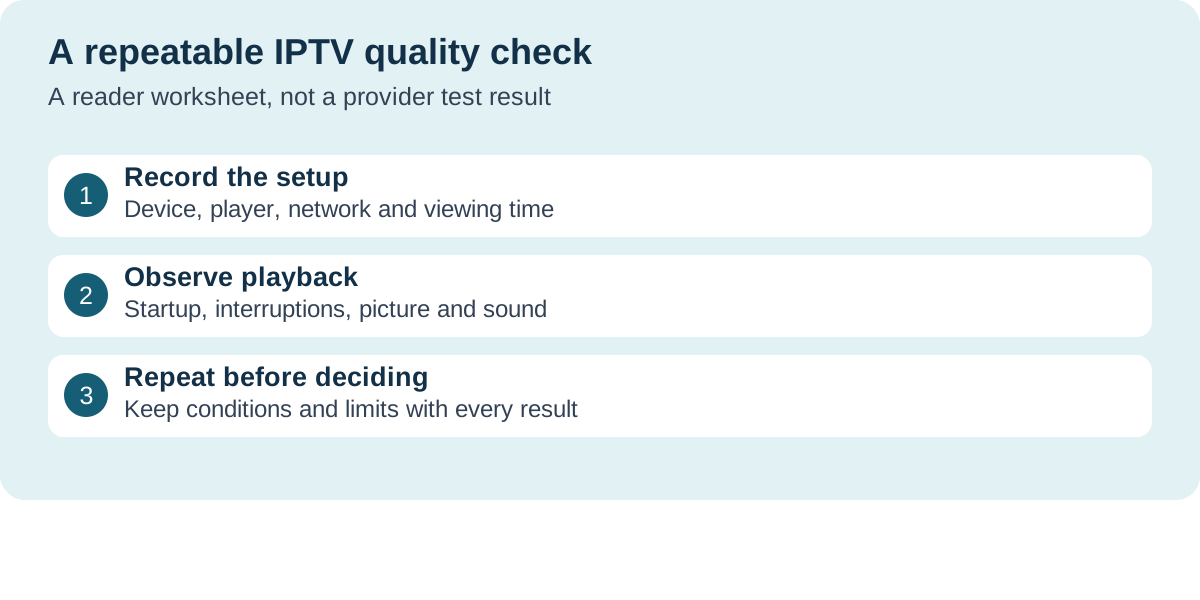
Record the device, player and viewing conditions, then log startup time, interruptions, picture detail and audio sync. Repeat during your normal viewing hours and compare the results with your own requirements.
An IPTV trial answers a useful question only when you try the things you will actually watch, on the device you intend to use. A channel opening once on a phone tells you little about an evening on the living-room TV. This guide gives you a repeatable viewing log for checking startup, interruptions, picture detail and sound. It is a test method for readers, not a claim that we have measured or approved a particular service.
Record your setup, watch representative content, and repeat under your usual evening conditions. Keep each result tied to its device and session. A successful trial is useful evidence about that session; it is not a guarantee of future uptime or content availability.
Set your pass criteria before starting the trial
Choose the questions that would change your buying decision. Can you follow dialogue without audio drifting away from the picture? Does a live channel resume after an interruption? Can you switch to the programmes you need without repeatedly signing in? Write down your own acceptable limits before testing. There is no single freeze count or startup time that certifies every IPTV service. Someone watching an occasional film may accept a delay that frustrates a live-sports viewer.
Keep the setup consistent enough to compare
Record the date, local time and time zone, device model, player and version, connection type, screen and selected stream. Note whether other household devices are downloading or streaming. Use an account and playback method the provider permits. Never paste a playlist containing a username or password into a public speed-test tool, forum or shared worksheet. For a second candidate, use the same device and broadly comparable viewing conditions; otherwise you may be comparing two setups rather than two services.
Use this blank viewing log
Copy these fields into a private note. Keep separate rows for separate sessions rather than averaging unlike conditions into one impressive score. If the player does not expose a metric, write 'not available'. An honest blank is more useful than a guessed bitrate.
- Session: date, local time, time zone and approximate viewing length.
- Setup: device, player version, Wi-Fi or Ethernet, and other network activity.
- Content: live channel or on-demand title, selected quality and whether captions are enabled.
- Startup: seconds from selecting the item to a moving picture with sound.
- Interruptions: number, approximate duration, and whether playback recovered by itself.
- Picture and sound: visible detail, motion judder, audio sync and any quality changes.
- Follow-up: one setting changed, support answer, repeat result and unresolved question.
Time startup separately from channel switching
Start the timer when you select a programme, not while the app is still loading its channel list. Stop when both the moving picture and usable sound appear. Repeat on more than one item, recording failures as well as successful starts. Switching channels, opening the app and starting an on-demand title are different actions; give them separate notes. If a stream fails, keep the error wording and approximate time so support can investigate the same event.
Describe freezes instead of calling everything buffering
A loading spinner, a frozen picture with continuing audio, a complete app exit and a black screen are different symptoms. Record what you actually see and whether another channel works at that moment. Change one thing at a time during a repeat test. Google's YouTube playback guidance notes that internet capacity, selected resolution and other devices on the connection can affect playback. That is useful background, but YouTube's speed figures are not universal requirements for another IPTV service or codec. This page is about collecting evidence; use troubleshooting instructions for the specific player when a fault is repeatable.
Check picture detail and motion on the actual TV
A menu label saying 4K does not establish the stream's source quality. If your player exposes resolution, frame rate or bitrate, record what it reports and name the app that reported it. Then describe the visible result: soft text, blocks during motion, a change in detail, or uneven camera pans. A still studio shot and a fast-moving programme stress different parts of the playback chain. Avoid declaring native 4K or a particular codec merely because the picture looks sharp. Your display may scale a lower-resolution source.
Listen for sound sync and test the controls you use
Watch a section with clearly visible speech and note whether voices remain aligned with lips. Test the language track and captions you need, if available, and whether the remote makes it easy to return to live playback. Do not assume captions, audio descriptions, replay or recording exist on every channel. Record 'not provided' separately from 'provided but failed'. This distinction helps you ask the right pre-purchase question instead of treating a missing feature as a temporary technical error.
Repeat during the hours you normally watch
If the trial window allows it, try another session during your usual evening period and a quieter period. Keep each session's duration and conditions in the log. One smooth afternoon cannot establish peak-time reliability, and one failed evening does not identify the responsible network or server. If simultaneous viewing matters, ask for the written connection limit and test only within it. Installed apps on several devices do not necessarily mean several concurrent streams are included.
An example of a useful result
This is a fictional note, not one of our service tests: 'Living-room TV, player version recorded, Wi-Fi, 8:15 p.m.; live programme opened in six seconds; one short freeze in a 20-minute session; picture recovered automatically; captions were unavailable on this item.' A follow-up session might change only the permitted network connection. Keep the second result beside the first. Do not rewrite that limited observation as '99.9% uptime' or promise that every customer will see the same result.
Turn the log into a purchase decision
Ask support about the unresolved items that matter to you and keep the written reply. Confirm the exact plan price, renewal terms, device support and cancellation route independently of playback quality. A working stream does not prove that the seller holds distribution rights for your content or region. If an essential requirement cannot be demonstrated or explained, leave it unresolved rather than buying a long plan on an assumption. Keep the session notes and order terms so you can compare the service you received with the offer you accepted.
Commercial relationship
This site promotes subscription services and includes commercial links. A link to a provider is an invitation to check its current offer, not evidence that it passed this worksheet. We have not run a new hands-on provider comparison for this article. Test the relevant plan yourself where a trial is available.
Continue your research
- Read IPTV review claims critically — separate a measurement from advertising
- Compare IPTV trial questions — check the terms before requesting access
- TereaTV buyer guide — questions about the advertised plan and setup
Frequently asked questions
How do I test IPTV streaming quality before buying?
Record the device, player and viewing conditions, then log startup time, interruptions, picture detail and audio sync. Repeat during your normal viewing hours and compare the results with your own requirements.
Does a fast internet speed test prove an IPTV plan will work?
No. A speed test is one observation about a network path. It does not verify the provider's stream, player compatibility, concurrent-stream rules or future performance.
Does a 4K channel label prove native 4K?
No. Record any resolution information the player actually exposes and distinguish that reading from the service's marketing label and your subjective impression.
Can one short trial prove long-term reliability?
No. It can show what happened during the recorded sessions on your setup. Keep the conditions and limitations with the result rather than turning it into an uptime guarantee.
Learn more
- YouTube Help: playback troubleshooting — background on resolution, connectivity and playback symptoms; not an IPTV certification
Check the plan before you subscribe
Commercial link: this site promotes subscription services. Confirm current plans, devices and setup information with the provider, then test the offer on your own equipment.
Visit TereaTV